
Website Chat Data, GDPR and CCPA
What chat and enquiry data is collected, how retention settings differ by plan, and general GDPR/CCPA considerations for chat intake, guidance, not legal advice.

A necessary note
This guide is general information about what website chat intake involves, written to help you ask the right questions. It is not legal advice, and it cannot account for your jurisdiction, sector or specific processing. Take proper advice before making compliance decisions.
What chat actually collects
Adding chat to a website adds a new stream of personal data, and it is worth being precise about what that stream contains rather than reasoning from a vague sense of unease.
Conversation content. Everything typed in the widget, by the visitor and by your team. Visitors volunteer things you did not ask for, names, addresses, sometimes far more detail about their situation than a form would ever have requested.
Structured enquiry details. Whatever your Form and One field steps capture: name, email, phone, address, and whatever else you decided to ask.
Team-side content. Private notes carry an author and timestamp. They stay out of visitor messages and AI conversation history, but they exist and they are about a person.
Technical data. The ordinary metadata any web service handles to function and stay secure.
The Grounded AI Agent & Knowledge Base adds one more consideration: knowledge sources you upload may themselves contain personal data if you were not careful about what you uploaded.
Retention is a setting, not a default
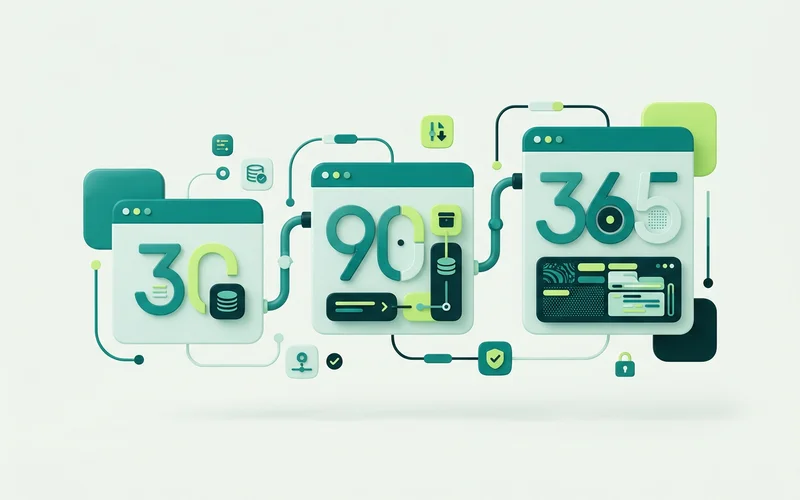
Configured retention differs by plan: 30 days on Free, 90 on Starter, 365 on Pro, and unlimited as configured on Business. Two practical points follow.
First, retention is not the same as inactivity. Idle conversations stay in retained history, a conversation going quiet does not delete its transcript.
Second, retention has a second-order effect people miss. Reporting draws on retained history, so a 30-day retention setting limits what a 90-day report window can show. That trade-off is real and worth deciding deliberately rather than inheriting. What the response-time reports measure covers the reporting side.
Confirm the published retention policy against your actual deployment settings before you write it into a privacy notice.
Questions worth asking about any chat tool
Whatever you end up using, these are the questions that separate a manageable setup from a messy one:
- What is collected, and can I see all of it? You cannot govern data you cannot enumerate.
- How long is it kept, and can I change that? A fixed retention you do not control is a constraint on your policy.
- Can I delete a specific conversation on request? This one comes up in practice more than people expect.
- Where does AI processing happen, and who is the provider? If you use bring-your-own-key, your chosen provider’s terms and practices also apply to that usage.
- Who on my team can see what? Access is a compliance question, not just an operational one.
Practical habits that reduce your exposure
Ask for less. Every field you collect is data you have to look after. If you never use the “company size” answer, stop collecting it. This is the cheapest privacy improvement available and it also improves completion rates.
Say what happens in the widget. A short line pointing at your privacy policy before a form step costs nothing and sets expectations honestly.
Keep knowledge sources clean. Do not upload documents containing customer data as AI knowledge. The knowledge base is for information about your business, not about your customers.
Set retention deliberately. Pick a period you can justify against a purpose, not the longest one available.
Review who has inbox access. Team access tends to accumulate. A quarterly look is enough.
What onmsg does and does not decide
If you operate a site on onmsg, you decide what knowledge you upload, what your flows collect, how long conversation data is retained within your plan’s setting, and who on your team can see it. We process that data so the service works.
That division is the practical part: the tool provides the controls, and you make the choices. Which is also why “is this product GDPR compliant?” is not quite the right question. A tool provides capabilities. Compliance is what you do with them, in your context, with advice from someone qualified to give it.
Questions worth putting to any vendor
Whatever tool you choose, these five questions surface most of what matters, and a vendor who cannot answer them quickly is telling you something.
Where is data processed, and by whom? Including any AI provider in the chain, which is a sub-processor whether or not it is described as one.
What is the retention model, and can I change it? A fixed period you do not control constrains your own policy.
Can I delete a single conversation on request? This comes up in practice more often than people expect.
What happens to knowledge sources I upload? They are content you supplied, and you should know how they are stored and how to remove them.
Who inside my own organisation can see conversations? Access control is a compliance question as much as an operational one.
A short internal routine
Compliance work goes stale unless it has a rhythm. A quarterly half-hour covers most of it.
Review which fields your flows collect and remove any you no longer use. Check who has inbox access and remove people who have moved on. Reread your retention setting and confirm it still matches what your privacy notice says. Scan your knowledge sources for anything containing customer data that should not be there.
Then note the date. The value of a routine like this is partly the checks and partly being able to show that they happen.
None of that is a substitute for advice from someone qualified. It is the groundwork that makes such advice cheaper to act on.
Read next: how to add your business knowledge, or what happens when the AI can’t answer.
Learn more about Grounded AI Agent & Knowledge Base
An AI agent that answers from your own knowledge base, with grounding modes, configurable refusals, and handoff to a person.
Questions people ask about this
How long is chat data kept?
Retention is configurable and differs by plan tier, 30 days on Free, 90 on Starter, 365 on Pro and unlimited on Business as configured. Check the setting on your own site rather than assuming, and confirm the published policy against your deployment settings.
Is this legal advice?
No. This is general guidance about what chat intake involves. Data protection obligations depend on your jurisdiction, your sector and how you use the data, so take advice from someone qualified to give it.
What data does website chat collect?
Conversation content, anything a visitor volunteers in a message, and whatever your Form or One field steps capture. Private notes your team adds are stored too, though they stay out of visitor messages and AI conversation history.
Related guides
How to Add Your Business Knowledge: Paste, Upload and URL Import
Supply knowledge by pasting text, uploading PDF/DOCX/TXT/Markdown/CSV, or importing one public web page. See processing status, reindex and edit sources.
Read guideHow to Reduce AI Chatbot Hallucinations with Grounding Controls
Why chatbots invent facts, and how strict retrieval gating, refusal thresholds, handoff and source attribution help reduce it, controls that guide behaviour.
Read guideStrict, Balanced and Open Grounding Modes Compared
Compare onmsg's grounding modes: Strict (refuse when no relevant content), Balanced (prefer your knowledge), and Open (general conversation), plus when each fits.
Read guideWhat Does "Grounded AI" Mean for Website Chat?
Grounded AI answers from your own content instead of general knowledge. What grounding is, why it matters, and how it differs from a general chatbot.
Read guideWant to try this on your own site?
No credit card required.