
Managing Multiple Websites and Brands
Run chat across several websites and brands from one workspace, with separate configuration, conversations, knowledge, flows and team per site.

The problem with one account per site
If you look after several websites, the default arrangement is one chat account per website. Separate logins, separate billing, separate places to check whether anything arrived overnight. It works at two. At five it becomes a job.
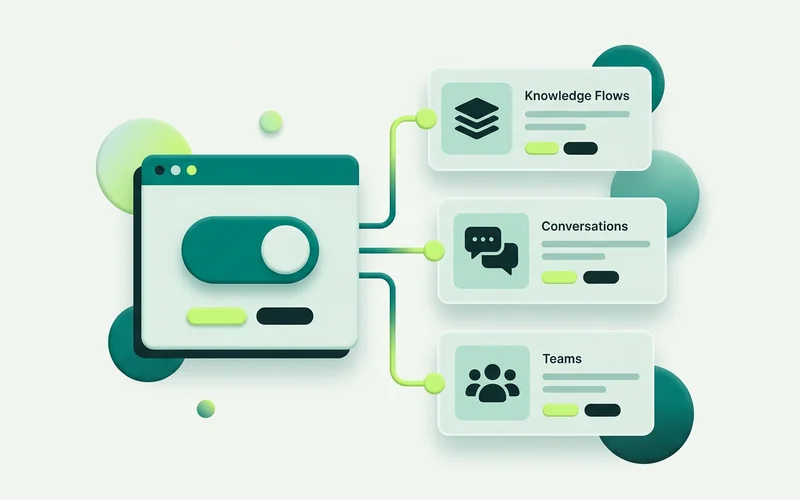
The Multi-Site & API structure organises the workspace around sites instead. A site owns its widget configuration, its conversations, its knowledge base, its flows and its team resources. You switch between sites in the same workspace, and each one behaves as if it were the only one.
What stays separate, and why it matters
Knowledge. Each site has its own knowledge base. This is the separation that matters most: if two brands shared one, a question on one site could be answered from the other’s price list. Keeping them apart is not a convenience, it is the correctness requirement.
Flows. Each site has its own flows. Brands have different tones and different enquiry types, and a flow that works for a plumbing business will not work for a design studio.
Conversations. Each site’s conversations belong to it, so the inbox for one client does not fill up with another’s.
Configuration. Widget styling, business hours, timezone, after-hours behaviour and the live/paused setting are all per site. Three brands, three visual identities, three sets of hours.
Team resources. Per site, so the people who work on one client’s conversations are the people assigned to it.
Who this is for
Agencies managing chat on behalf of clients. One login, a site per client, and no risk of one client’s material appearing in another’s answers.
Multi-brand operators running several trading names from one business. Each brand gets its own voice and its own knowledge without pretending to be a separate company internally.
Franchise or multi-location groups where each location has its own hours, coverage and questions but shares an operating standard.
Businesses with a marketing site and a product where the two surfaces need very different conversations.
Practical habits for running several
Set up one site properly first. Get the widget, the flows and the knowledge right on a single site before you replicate. Copying a good pattern four times is quick. Fixing the same mistake four times is not.
Keep a naming convention. Sites, flows and knowledge sources accumulate. A convention you can read at a glance saves more time than it costs to agree.
Set hours per site, honestly. If one brand is answered in the evenings and another is not, say so on each. Inheriting one site’s hours across all of them is the fastest way to break a promise.
Watch usage per site. Usage information is readable per site, which is what you want when you are checking whether a particular client is approaching a limit.
Where the API fits
For agencies especially, site-scoped API keys are worth knowing about. A key works for its site only, so an integration built for one client cannot reach another’s data. The API can ask the AI a question, read a conversation, hand a conversation into that site’s human inbox, manage knowledge sources, and read configuration and usage.
That last one supports the thing agencies always end up wanting: pulling per-client usage into a report you already produce.
What to standardise, and what to keep local
Running several sites well is mostly a question of deciding what should be identical and what should not.
Standardise the operating pattern. The shape of a flow, greet, branch by intent, capture, escalate, travels well between brands. So does your convention for assignment, resolving and private notes, and your habit of setting grounding to Strict wherever prices are involved. These are decisions you want to make once.
Keep the content local. Knowledge, tone, hours and the actual wording of every message belong to the individual site. A greeting written for a legal practice will read badly on a fencing contractor’s website, and vice versa.
The failure mode at both extremes is familiar. Standardise too much and every brand sounds like the same company. Standardise too little and each site is a one-off project you cannot hand to a colleague.
Onboarding a new site without starting over
A repeatable sequence helps more than a template does:
- Create the site and take its script snippet.
- Load knowledge first. Everything downstream is better once the agent has material to work with.
- Configure grounding, Strict on the commercial branches, a refusal message in the brand’s voice.
- Rebuild the standard flow with this brand’s wording and enquiry types.
- Style the widget to the brand and set its own hours and timezone.
- Assign the team who will actually answer for this site.
- Install and test as a visitor, out of hours as well as in.
Half a day per site once you have done it twice, and considerably less risk of a client’s chat quietly answering with another client’s information.
Read next: what the onmsg site API can do, or when to use the widget vs the API.
Learn more about Multi-Site & API
One workspace organized around sites, with per-site configuration and a site-scoped API to ask the AI, read conversations, hand off, and manage knowledge.
Questions people ask about this
Is knowledge shared across sites?
No. Each site has its own configuration, conversations, knowledge, flows and team resources. That separation is deliberate, a knowledge source added for one brand should never surface in another brand's answers.
Can I switch between sites quickly?
Yes. The workspace is organised around sites, with site switching built in, so you move between the sites you look after without separate logins.
Is this suitable for an agency?
It is one of the main reasons the multi-site structure exists. One workspace, one login, per-site separation for client work, and site-scoped API keys so an integration built for one client stays contained to that client.
Related guides
What the onmsg Site API Can Do: Ask, Read, Hand Off, Manage Knowledge
A clear map of the onmsg site API: ask the AI a question, read a conversation, hand a conversation into the human inbox, and manage knowledge sources.
Read guideWhen to Use the Embeddable Widget vs the API
Choose between the drop-in widget for fast standard installs and the API for custom UIs and integrations, and when to combine both.
Read guideWant to try this on your own site?
No credit card required.