
When to Use the Widget vs the API
Choose between the drop-in widget for fast standard installs and the API for custom UIs and integrations, and when to combine both.

Two front doors, one system
The site API from Multi-Site & API and the chat widget are two ways into the same thing. Both draw on the same knowledge base, both respect the same grounding configuration, and both can hand a conversation into the same human inbox. What differs is who builds the interface.
The widget is ours: install a script snippet, configure it in the workspace, and you have a chat experience without writing anything. The API is yours: your interface, your placement, your rules, at the cost of building and maintaining it.
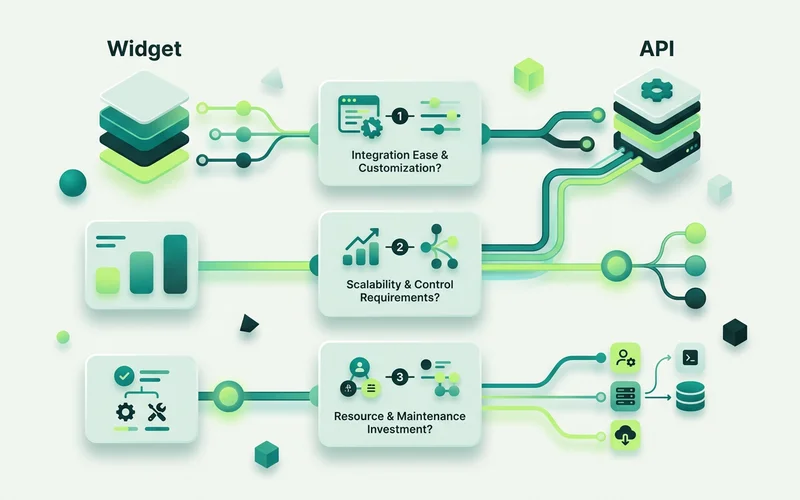
Choose the widget when
You have a website and want chat on it. This is the common case and the widget handles it completely. A script snippet, a styling pass, a flow, live.
Nobody on the team writes code. The widget’s whole point is that configuration replaces development. Colours, fonts, placement, hours, after-hours behaviour and the entire conversation flow are settings.
You want it working this week. Building an interface is a project. Installing a snippet is an afternoon including the styling.
You want the built-in behaviour. Teaser, launcher, unread indicator, business hours, offline intake, mobile handling, all of that exists and works. Rebuilding it through the API is real effort for a result that is unlikely to be better.
Choose the API when
Chat must live inside an interface you own. A logged-in product, an internal tool, a customer portal, places where a floating widget is either wrong or impossible.
You want AI answers somewhere that isn’t a chat panel. A help centre search box that answers, an inline assistant on a documentation page, a support form that suggests an answer before submission. The ask-the-AI endpoint suits all three.
Your knowledge changes automatically. If your docs, catalogue or policies are generated, the knowledge source endpoints let a pipeline keep the knowledge base current without a human step.
You need usage data in your own dashboard. Reading site configuration and usage information programmatically is how per-client or per-product reporting gets built.
Use both when the surfaces differ
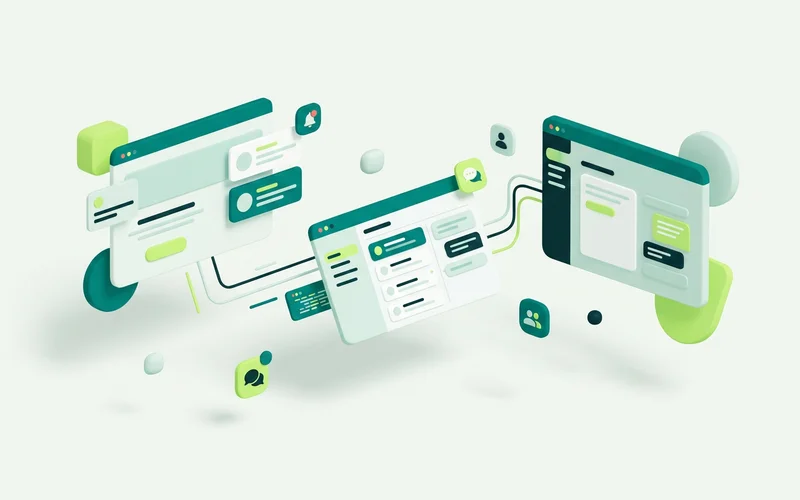
The most common serious setup uses both. The widget goes on the marketing site, where speed and configurability matter and nobody wants a build. The API powers chat inside the product, where the experience has to feel native.
Both point at the same site, so they share a knowledge base and a set of grounding rules, and both hand off into the same inbox. Your team works one queue regardless of where the conversation started, which is the property that makes the split worth having.
What the API does not replace
Three things. It does not replace the inbox, handed-off conversations still land there for a person. It does not replace the grounding configuration; the behaviour of an answer is still decided by the mode and knowledge you set up. And it does not remove plan limits: an API-driven implementation is bound by the same resource limits as the widget.
Build the interface. The rest of the system is still the system.
A single question to decide
Ask whether the chat needs to look like part of something you built. If the answer is no, it is a website and a floating panel is fine, use the widget. If the answer is yes, use the API for that surface and keep the widget wherever it still works.
What each option costs you
The widget costs configuration time. An afternoon to install and style, a couple of hours to build a first flow, then a small amount of ongoing attention as your business changes. No development capacity required, and no code to maintain when a browser updates.
The API costs development time, twice. Once to build the interface, and continuously to maintain it. You are responsible for the message list, the input handling, the loading and error states, the mobile behaviour, the accessibility, and the refusal and handoff states. None of that is difficult individually; together it is a real piece of software.
The question is not which is technically better. It is whether the outcome you need is worth building and owning an interface.
A short checklist before choosing the API
If you can answer yes to at least two of these, the API is probably right:
- The chat has to appear somewhere a floating widget structurally cannot go
- You already have an interface that chat should feel part of
- Knowledge updates need to be automated from an existing pipeline
- You need usage or configuration data inside a dashboard you already maintain
- You have development capacity for the ongoing maintenance, not just the build
If you answered yes to fewer than two, the widget will serve you better, and you can always add an API surface later without unpicking anything. Both routes point at the same site, the same knowledge base and the same inbox, so starting with the widget costs nothing if you change your mind.
Read next: what the onmsg site API can do, or how to add live chat to any website for the widget install.
Learn more about Multi-Site & API
One workspace organized around sites, with per-site configuration and a site-scoped API to ask the AI, read conversations, hand off, and manage knowledge.
Questions people ask about this
Is the widget enough for most sites?
Yes. For a marketing site, a brochure site or a shop, the drop-in widget covers it: install with a script snippet, style it to match, build a flow, done. The API is for cases the widget structurally cannot reach.
When do I actually need the API?
When chat has to live inside an interface you control, a logged-in product, a native app surface, a help centre search box, or when you want knowledge sources updated automatically from a pipeline.
Can I use both together?
Yes, and it is a common arrangement. The widget on the marketing site, an API build inside the product, both sharing the same site knowledge base and handing conversations into the same human inbox.
Related guides
Managing Multiple Websites and Brands from One Workspace
Run chat across several websites and brands from one workspace, with separate configuration, conversations, knowledge, flows and team per site.
Read guideWhat the onmsg Site API Can Do: Ask, Read, Hand Off, Manage Knowledge
A clear map of the onmsg site API: ask the AI a question, read a conversation, hand a conversation into the human inbox, and manage knowledge sources.
Read guideWant to try this on your own site?
No credit card required.